LinkedIn's Advertising API is powerful but hostile to small teams. The documentation sprawls across dozens of pages, the REST endpoints use non-standard patterns, and setting up OAuth scopes for ad management requires navigating LinkedIn's developer portal like it's 2014.
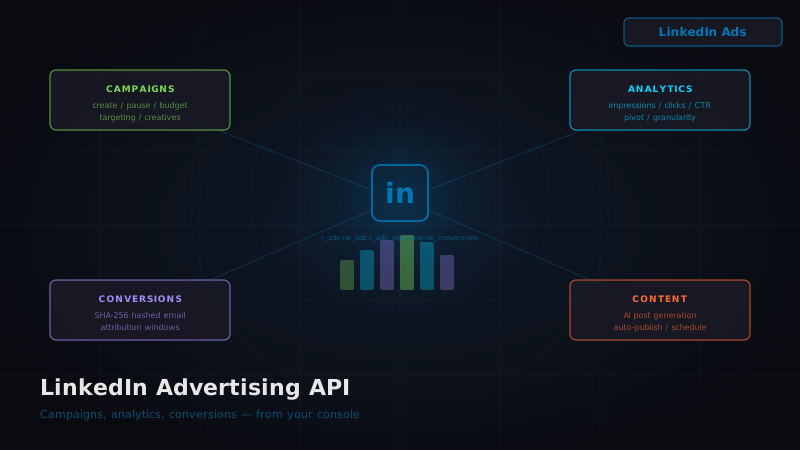
We just shipped a complete LinkedIn Advertising integration inside the 0nMCP console. Campaigns, analytics, conversions, and content — all managed from one dashboard.
Here's what's new and how it works.
The Four Tabs
The console LinkedIn page (/console/linkedin) is now a full 4-tab dashboard:
Tab 1: Overview
Your connection status, member profile, archetype badge (from the PACG system), and quick stats. If you haven't connected your LinkedIn account, the "Connect LinkedIn" button starts the OAuth flow with all the right scopes.
Tab 2: Content
AI-powered post generation and publishing. Enter a topic, hit "Generate," and Claude drafts a LinkedIn post optimized for engagement. Preview it, edit it, publish it — or toggle automated posting to let the system publish on a schedule.
This tab wires to the existing /api/linkedin/post/generate and /api/linkedin/post/publish endpoints that have been live since the initial LinkedIn integration.
Tab 3: Advertising
This is the new stuff. The advertising tab connects to the LinkedIn Marketing REST API (v202603) and provides:
- Ad Account Selector — fetches all ad accounts you have access to via
GET /adAccounts - Campaign List — displays all campaigns with status badges (ACTIVE, PAUSED, DRAFT, ARCHIVED)
- Campaign Creation — form for name, campaign type (SPONSORED_UPDATES, TEXT_AD, SPONSORED_INMAILS, DYNAMIC), daily budget, and targeting
- Per-Campaign Metrics — impressions, clicks, CTR, and spend pulled from the analytics API
Tab 4: Analytics
The analytics tab gives you full access to LinkedIn's ad reporting system:
- Date Range Picker — select start and end dates for your report
- Key Metrics Cards — impressions, clicks, CTR, conversions, total spend, CPC
- Pivot Selector — slice data by Campaign, Creative, or Account
- Time Granularity — Daily, Monthly, or All-Time
- Data Table — sortable columns for deep analysis
The OAuth Scopes
The LinkedIn OAuth flow now requests these scopes:
openid, profile, email, w_member_social,
r_ads, rw_ads, r_ads_reporting, rw_conversions, r_organization_admin, w_organization_social
The first four were already in place for social posting. The new six enable:
r_ads/rw_ads— read and write access to ad accounts, campaigns, and creativesr_ads_reporting— pull analytics and performance datarw_conversions— stream conversion events for attributionr_organization_admin— access organization-level dataw_organization_social— post on behalf of organization pages
If you've already connected LinkedIn, you'll need to re-authorize to grant the new scopes. The console will prompt you.
Conversion Tracking
The conversion tracking endpoint (/api/linkedin/ads/conversions) accepts a POST with:
{
"conversionRuleId": "urn:lla:llaPartnerConversion:12345", "email": "user@example.com", "amount": 99.00, "currency": "USD", "timestamp": 1710600000000 }
The email is SHA-256 hashed before being sent to LinkedIn — your users' email addresses never touch LinkedIn's servers in plaintext. This follows the same zero-knowledge approach we use across all credential handling in 0nMCP.
Conversion events flow through LinkedIn's attribution model, so you can track which campaigns actually drive revenue, not just clicks.
The Chrome Extension
The 0nMCP Chrome Extension also got LinkedIn Ads capabilities:
- "View Ad Performance" — opens the side panel with your campaign analytics while browsing LinkedIn
- "Create Lead Ad" — create a new campaign directly from the context menu
- "Track Conversion" — log a conversion event from the current page context
These appear in the right-click context menu when the linkedin-ads module is enabled in your extension settings.
The API Routes
Four new API routes power the integration:
| Route | Method | Purpose |
|---|---|---|
/api/linkedin/ads/accounts | GET | List ad accounts |
/api/linkedin/ads/campaigns | GET, POST | List + create campaigns |
/api/linkedin/ads/analytics | GET | Pull performance data |
/api/linkedin/ads/conversions | POST | Stream conversion events |
linkedin_members table. No client-side credential handling.
Database Changes
The linkedin_members table got three new columns:
ALTER TABLE linkedin_members
ADD COLUMN IF NOT EXISTS ad_account_ids TEXT[] DEFAULT '{}', ADD COLUMN IF NOT EXISTS ads_enabled BOOLEAN DEFAULT false, ADD COLUMN IF NOT EXISTS organization_id TEXT;
ad_account_ids stores which ad accounts the user has authorized. ads_enabled is a feature flag. organization_id links to the LinkedIn organization page if the user is an admin.
What This Enables
With the LinkedIn Advertising API integrated, you can now manage your entire LinkedIn presence from the 0nMCP console:
- Content — AI-generated posts published on schedule
- Campaigns — create and manage ad campaigns with budget controls
- Analytics — track performance across campaigns, creatives, and accounts
- Conversions — attribute revenue to specific campaigns with privacy-preserving hashing
- Extension — manage LinkedIn ads while browsing LinkedIn itself
This pairs with the existing CRM integration (245 tools), Stripe for payments, and Slack for notifications to create a complete marketing operations stack — all from one interface.
No switching between dashboards. No copying data between platforms. Just one console.