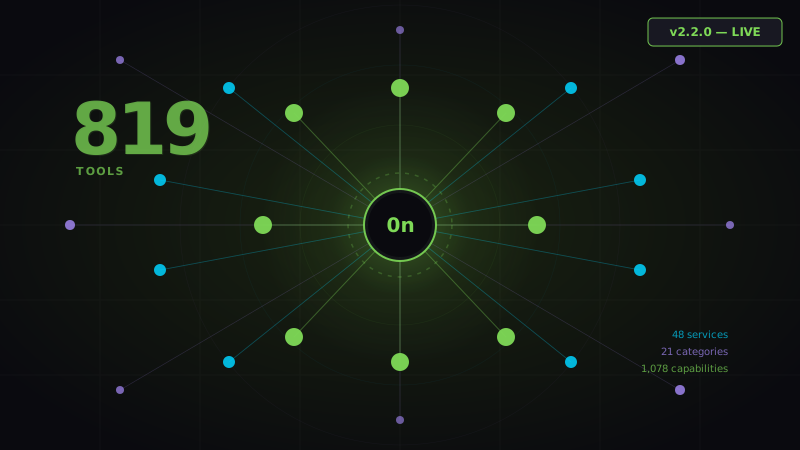
When we shipped v1.0.0, 0nMCP had 26 services and a couple hundred tools. It was enough to prove the concept: a single MCP server that could route AI requests to any API, anywhere, without the scaffolding tax that comes with building automations from scratch.
Today, v2.3.0 ships. 850 tools. 53 services. 23 categories. 1,142 total capabilities.
This isn't an incremental update. This is the platform maturing into what it was always meant to be.
The Numbers That Matter
v1.0.0 → v2.3.0
───────────────────────────────── Services:      26  → 53     (+104%) Tools:        558  → 850    (+52%) Categories:    13  → 23     (+77%) Actions:       65  → 104    (+60%) Triggers:      93  → 155    (+67%) Capabilities: 708  → 1,142  (+52%)
These aren't vanity metrics. Every tool represents a real API endpoint, a real integration surface, a real thing AI can now do on your behalf without you writing a line of glue code.
What's New in v2.3.0
New Services Added
We doubled down on the areas where AI workflows actually get deployed. The new services fall into five expansion zones:
AI Model Providers
- Cohere — Command R+ for retrieval-augmented generation, embeddings, rerank
- Mistral — Mistral Large, Mixtral 8x7B, function calling at speed
- Replicate — Thousands of open-source models on demand (Llama, SDXL, Whisper, and more)
- Stability AI — Stable Diffusion XL, Stable Image Core, image editing, upscaling
Audio & Speech
- ElevenLabs — Text-to-speech with voice cloning, multilingual synthesis, voice library
- Deepgram — Real-time transcription, speaker diarization, audio intelligence
Email Delivery
- Postmark — Transactional email with best-in-class deliverability, message streams, bounce handling
- Mailgun — High-volume sending, email validation, suppression lists, inbound routing
Creator & Marketing
- ConvertKit — Subscriber management, sequences, broadcasts, tag-based automations, commerce
Messaging
- Telegram — Bot API: send messages, manage channels, inline keyboards, file delivery
- WhatsApp (Meta) — WhatsApp Business API: template messages, interactive flows, webhook handling
- Intercom — Conversations, contacts, tickets, AI Copilot integrations, inbox management
Databases
- PlanetScale — Branching MySQL at scale, schema diffs, deploy requests, insights
- Neon — Serverless Postgres with branching, cold start optimization, connection pooling
- Turso — Edge SQLite via libSQL: ultra-low latency reads, replicas, database-per-user patterns
- CockroachDB — Distributed SQL: cluster management, job monitoring, changefeeds
Infrastructure & Deployment
- Vercel — Deployments, domains, environment variables, edge config, analytics, project management
- Cloudflare — Workers, Pages, D1 database, R2 storage, KV, zone management, DNS, caching
- Netlify — Sites, builds, functions, forms, identity, split testing
- Railway — Projects, environments, services, deployments, variables, metrics
- Render — Web services, static sites, Postgres, Redis, private networks, blueprints
Cloud Providers
- AWS S3 — Buckets, objects, presigned URLs, lifecycle policies, replication, access control
- Google Cloud — GCS, Cloud Functions, BigQuery, Cloud Run, IAM, Pub/Sub
- Azure — Blob storage, Functions, Cognitive Services, Key Vault, Event Grid
The Three-Level Execution System
v2.3.0 formalizes something we've been building toward since the beginning: a hierarchy of how AI work gets done. We call it Three-Level Execution, and it's patent-pending.
Level 1: Pipeline
The most controlled mode. Steps execute sequentially. Each step's output feeds directly into the next step's input. You define the flow explicitly in a .0n SWITCH file. Full control, full auditability.
Pipeline is for workflows where order matters — onboarding sequences, data transformation chains, report generation flows.
Step 1: Enrich contact → Step 2: Score lead → Step 3: Route to pipeline → Step 4: Send email
Level 2: Assembly Line
Parallel execution with dependency awareness. Steps that can run simultaneously do run simultaneously. Steps that depend on prior outputs wait for them. The orchestrator figures out the graph automatically.
Assembly Line is for workflows where speed matters — multi-channel outreach, parallel data fetching, simultaneous API calls across services.
Step 1: Fetch CRM data
├─ Step 2a: Post to Slack     (parallel) ├─ Step 2b: Send email        (parallel) └─ Step 2c: Update Airtable   (parallel) Step 3: Log results
Level 3: Radial Burst
Fan-out execution. A single trigger spawns N simultaneous executions, each operating independently. Used for bulk operations: processing a list of 1,000 contacts, running an analysis across every row in a spreadsheet, notifying an entire team.
Radial Burst is for scale — where one input becomes many parallel outputs.
AI Mode + Keyword Fallback
One of the most underappreciated features in 0nMCP is the dual-mode operation.
AI Mode (with an Anthropic API key): Claude reasons about your intent, selects the right tools, chains them intelligently, handles edge cases, and explains what it's doing. This is the full orchestration experience.
Keyword Fallback (no API key required): The system scans your natural language input for service names, action verbs, and entity types, then routes to the best matching tool. It's deterministic, fast, and works offline.
Most systems require you to be wired into an LLM 24/7. 0nMCP doesn't. Keyword fallback means it keeps working even when you're on a budget, testing locally, or running in environments where API calls are restricted.
The CRM Module Is Now 245 Tools Across 12 Files
The CRM integration — which handles all communication, contact management, and automation with the ROCKET backend — has been reorganized and expanded:
| Module | Tools | What It Covers |
|---|---|---|
| contacts.js | 23 | CRUD, custom fields, tags, notes, tasks, bulk ops |
| calendars.js | 27 | Appointments, availability, round-robin, team calendars |
| social.js | 35 | Social planning, publishing, scheduling across platforms |
| objects.js | 34 | Custom objects, associations, schema management |
| locations.js | 24 | Multi-location management, settings, users, custom values |
| users.js | 24 | User CRUD, roles, permissions, team management |
| conversations.js | 13 | Inbox, threads, messages, SMS, email |
| invoices.js | 20 | Invoices, line items, templates, send, collect |
| payments.js | 16 | Orders, subscriptions, payment methods, refunds |
| opportunities.js | 14 | Pipeline stages, forecasting, notes, status changes |
| products.js | 10 | Product catalog, pricing, inventory |
| auth.js | 5 | OAuth flows, token management, permissions |
https://services.leadconnectorhq.com with version header 2021-07-28. All operations are fully authenticated via Bearer token.
What Didn't Change (And Why That Matters)
The architecture is the same: McpServer from @modelcontextprotocol/sdk/server/mcp.js, ESM throughout, data-driven tool factory via registerTools() in crm/helpers.js.
We deliberately haven't changed the core pattern. Config objects, not code. If you know one tool, you know all 850. If you wrote a .0n SWITCH file for v1.0.0, it runs identically on v2.3.0.
Backward compatibility isn't an afterthought. It's the contract.
Installing v2.3.0
npm install -g 0nmcp@2.3.0
or
npx 0nmcp@latest
For Claude Code:
"0nMCP": {
"type": "stdio", "command": "node", "args": ["/path/to/0nMCP/index.js"] }
For HTTP server mode:
0nmcp serve --port 3001 --host 0.0.0.0
What's Next
We're working toward Phase 1 of the unlock roadmap (100 stars / $500 MRR), which adds full OAuth flows, QuickBooks, Asana, and Intercom integrations, plus enhanced encryption pipelines.
The community determines what gets built next. Star the repo. Tell us what you need.
850 tools is not the destination. It's a milestone.