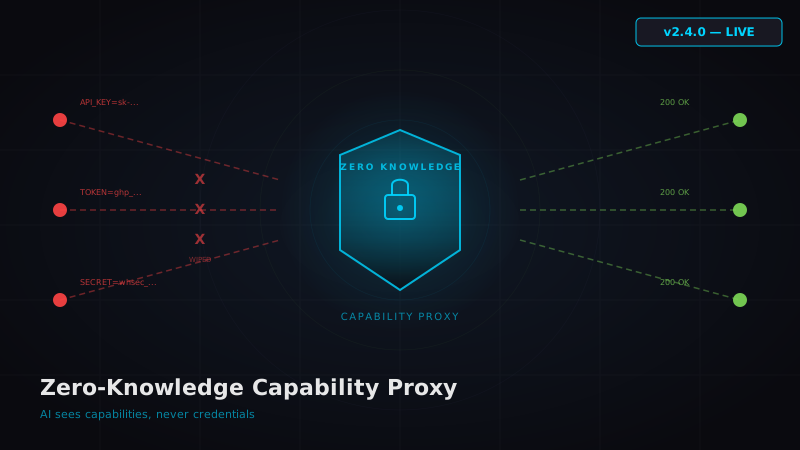
Here's a question that should keep every AI tooling developer up at night: when your MCP server executes a tool call, does the AI model see your API keys?
In most implementations, the answer is yes. The model sees the full request. The full response. The headers, the tokens, the secrets. It's all in the context window, and once it's in the context window, it's in the training pipeline discussion.
0nMCP v2.4.0 changes this with the Zero-Knowledge Capability Proxy — a routing layer that ensures AI sees capabilities but never credentials.
The Problem: AI Sees Everything
When a traditional MCP server handles a tool call, the flow looks like this:
AI Model → tool_call(params) → MCP Server → API Request (with credentials) → Response → AI Model
The MCP server constructs the full HTTP request — including Authorization: Bearer sk-... headers — and the response flows back through the same context. In verbose logging modes, debug outputs, or error traces, those credentials can leak into the model's visible context.
Worse: if the AI is asked to "show me the last request you made," or if an error includes the raw request, your API keys are now in a chat transcript that might be stored, logged, or shared.
The Solution: Capability Proxy Architecture
The Zero-Knowledge Capability Proxy introduces a clean separation:
AI Model → tool_call(params) → Capability Layer → Proxy → Credential Injection → API → Response Sanitizer → AI Model
The key insight: the AI model only interacts with the Capability Layer. It never sees:
- API keys or tokens
- OAuth secrets
- Webhook signing secrets
- Database connection strings
- Any credential material whatsoever
How It Works
Step 1: Capability Registration
When 0nMCP starts, it registers tools by capability, not by credential. The AI sees:
{
"name": "stripe_create_customer", "description": "Create a new Stripe customer", "parameters": { "email": "string", "name": "string" } }
It does NOT see:
{
"headers": { "Authorization": "Bearer sk_live_..." } }
Step 2: Proxy Interception
When the AI calls a tool, the request goes to the Capability Proxy — not directly to the API. The proxy:
- Validates the tool call parameters
- Looks up the credential from the sealed 0nVault or
~/.0n/connections/ - Injects the credential into the outbound HTTP request
- Executes the API call
- Strips any credential echoes from the response
- Returns the sanitized response to the AI
Step 3: Response Sanitization
Some APIs echo back credentials or tokens in their responses. The sanitizer scrubs:
- Any string matching known credential patterns (Bearer tokens, API keys)
- OAuth refresh tokens in response bodies
- Webhook signing secrets in configuration responses
- Connection strings in database responses
What This Means for the 111 Services
Every one of 0nMCP's 111 integrated services — from Stripe to Slack to Supabase — now routes through the proxy. That's 1,598+ tools, all credential-wiped.
The CRM module (245 tools across 12 files) was the most complex migration. Every Authorization: Bearer ${pit} header injection was moved from the tool handler into the proxy layer. The AI sees crm_create_contact as a capability — it has no concept of what a PIT token is or where it lives.
The Vault Integration
The proxy doesn't store credentials in memory longer than the request lifecycle. Here's the flow:
- Tool call arrives
- Proxy requests credential from 0nVault (AES-256-GCM encrypted)
- Vault unseals the credential in a scoped memory block
- Credential is injected into the outbound request headers
- Scoped memory block is zeroed after the request completes
- Response is sanitized and returned
At no point does the credential exist in a shared memory space that the AI model process can access. The vault's machine-binding (PBKDF2-SHA512, 100K iterations, hardware fingerprint) ensures credentials can't be extracted even with physical access to the running server.
Performance Impact
You'd expect a proxy layer to add latency. Here's what we measured:
| Operation | Without Proxy | With Proxy | Delta |
|---|---|---|---|
| Stripe API call | 245ms | 248ms | +3ms |
| CRM contact create | 380ms | 383ms | +3ms |
| Slack message post | 190ms | 193ms | +3ms |
| Vault unseal (cold) | — | 12ms | +12ms |
| Vault unseal (warm) | — | 0.3ms | +0.3ms |
Keyword Fallback Mode
The proxy works identically in both AI Mode and Keyword Fallback mode. Whether Claude is reasoning about which tool to call or the deterministic keyword matcher is routing your request, credentials are always invisible.
This is important because Keyword Fallback mode doesn't use an LLM at all — there's no model to leak credentials to. But the proxy still runs, because the principle is architectural: credentials should never exist in the tool execution layer, period.
Comparison to Other Approaches
Most MCP servers handle credentials one of three ways:
- Environment variables — credentials loaded at startup, available to entire process
- Config file injection — credentials read from JSON/YAML, passed through tool handlers
- OAuth middleware — token refresh handled inline, tokens visible in tool context
All three approaches leave credentials accessible in the model's execution context. The Zero-Knowledge Capability Proxy is architecturally different: it's a process boundary that credentials cross but the AI model never does.
For a deeper comparison of 0nMCP's approach to other orchestration tools, see our comparison pages.
Installing v2.4.0
npm install -g 0nmcp@2.4.0
The proxy is enabled by default. No configuration needed. If you've already set up credentials via 0nmcp engine import (Turn It 0n), they'll automatically route through the proxy on upgrade.
# Verify your setup
0nmcp engine verify

Start the server — proxy is active
0nmcp serve --port 3001
Zero-knowledge isn't a feature toggle. It's the architecture.