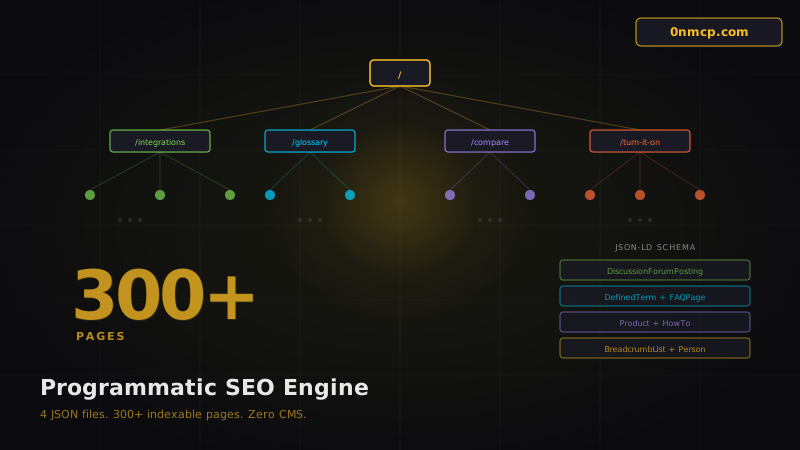
How We Built 300+ SEO Pages from 4 JSON Files — The 0nmcp.com Content Engine
0nmcp.com has over 300 indexable pages. We don't use a CMS. We don't use a headless API. We don't use WordPress, Ghost, Contentful, or Sanity for content.
We use four JSON files and Next.js dynamic routes.
Here's exactly how — and why this approach outperforms traditional CMS-backed SEO.
The Architecture
Four data files in src/data/ power the entire programmatic SEO engine:
| File | Size | Items | Pages Generated |
|---|---|---|---|
services.json | 50KB | 33 services | 33 integration pages + 33 Turn It 0n hubs |
capabilities.json | 62KB | 80 capabilities | 80+ capability deep-dive pages |
glossary.json | 33KB | 80 terms | 80 glossary definition pages |
comparisons.json | 33KB | 12 competitors | 12 comparison landing pages |
- Forum thread pages (server-rendered, unlimited)
- User profile pages
- Group landing pages
- Blog posts
Total: 300+ unique, indexable, structured-data-rich pages from a Next.js app with zero external content dependencies.
How Dynamic Routes Work
Next.js App Router's [slug] pattern combined with generateStaticParams() is the foundation. Each programmatic section follows the same pattern:
// src/app/integrations/[slug]/page.tsx
import servicesData from '@/data/services.json'
export function generateStaticParams() { return servicesData.services.map(s => ({ slug: s.slug })) }
export async function generateMetadata({ params }) { const { slug } = await params const service = servicesData.services.find(s => s.slug === slug) return { title: ${service.name} Integration — 0nMCP, description: service.seo_description, openGraph: { ... }, alternates: { canonical: https://0nmcp.com/integrations/${slug} }, } }
generateStaticParams() tells Next.js to pre-render every slug at build time. Each page gets its own URL, its own metadata, its own Open Graph tags, and its own JSON-LD structured data.
The JSON-LD Strategy
Every page type gets the most specific Schema.org type available:
| Page Type | JSON-LD Type | Why |
|---|---|---|
| Integration pages | HowTo + FAQPage | Google shows rich snippets for how-to content |
| Glossary terms | DefinedTerm | Feeds Google's knowledge panels |
| Comparison pages | Product + FAQPage | Enables product comparison rich results |
| Forum threads | DiscussionForumPosting | Forum-specific rich results in search |
| User profiles | Person | People-based rich results |
| Turn It 0n hubs | HowTo + FAQPage | Step-by-step integration guides |
| All pages | BreadcrumbList | Breadcrumb trail in search results |
tag. No external calls. No API latency. The structured data ships with the HTML.
Internal Linking Architecture
Programmatic SEO only works if pages link to each other. Our internal linking follows three rules:
Rule 1: Every page links to its parent
Every /integrations/stripe page links back to /integrations. Every /glossary/mcp-protocol links to /glossary. Breadcrumbs handle this automatically.
Rule 2: Every page links to related pages
Integration pages link to related services (Stripe links to Shopify, Supabase). Glossary terms cross-reference each other. Comparison pages link to the integration pages for both the compared product and 0nMCP.
Rule 3: Capability pages link to services and vice versa
A capability like "Send Emails" links to every service that can send emails (SendGrid, Postmark, Mailgun, CRM). Service pages link back to every capability they support.
This creates a dense, interconnected web of pages that search engines can crawl deeply.
The Data File Format
Each JSON file follows a consistent structure. Here's the services format:
{
"services": [ { "slug": "stripe", "name": "Stripe", "category": "payments", "description": "Payment processing and subscription management", "seo_description": "Connect Stripe to 0nMCP for AI-powered...", "tools_count": 28, "capabilities": ["payments", "subscriptions", "invoicing"], "setup_steps": [...], "faq": [...], "related_services": ["shopify", "supabase"] } ] }
The data is rich enough to generate full pages with unique content, FAQs, setup instructions, and cross-links — all from a single JSON object per service.
Why Not a CMS?
Three reasons:
1. Speed. JSON files are read at build time. There's no API call to a headless CMS. No cold starts. No rate limits. The content is baked into the deploy artifact.
2. Version control. Every content change is a git commit. You can review diffs, revert mistakes, and trace the history of every page. Try that with a Contentful webhook.
3. AI editability. This is the big one. When your content is structured JSON in a git repo, AI can read it, modify it, extend it, and generate new entries. We use Claude to draft new glossary terms, service descriptions, and FAQ entries — then commit the changes directly.
A CMS is a dependency. JSON files are data.
The Sitemap
The dynamic sitemap (src/app/sitemap.ts) pulls from all four data files plus the Supabase database (for forum threads, user profiles, and group pages):
export default async function sitemap(): Promise<MetadataRoute.Sitemap> {
const staticPages = [...] const integrationPages = services.map(s => ({ url: https://0nmcp.com/integrations/${s.slug} })) const glossaryPages = glossary.map(t => ({ url: https://0nmcp.com/glossary/${t.slug} })) const comparePages = comparisons.map(c => ({ url: https://0nmcp.com/compare/${c.slug} })) const turnItOnPages = services.map(s => ({ url: https://0nmcp.com/turn-it-on/${s.slug} })) const forumPages = await getForumPages() const profilePages = await getProfilePages()
return [...staticPages, ...integrationPages, ...glossaryPages, ...comparePages, ...turnItOnPages, ...forumPages, ...profilePages] }
Google Search Console ingests this sitemap and indexes the full site. At last check: 287 pages indexed, with the rest in the crawl queue.
The Results
Since launching the programmatic SEO engine (February 20, 2026):
- 300+ indexable pages (up from ~30)
- 287 pages indexed in Google
- Unique meta descriptions and Open Graph data for every page
- 8 different JSON-LD schema types
- Zero CMS dependency
- Zero API latency for content
- Full AI editability for content updates
Replicating This Pattern
If you're building a developer tool, a SaaS product, or any site with structured, repeatable content — you can use this exact pattern:
- Identify your entities — services, features, competitors, terms, use cases
- Structure them as JSON — one file per entity type, rich fields per item
- Create dynamic routes —
[slug]/page.tsxwithgenerateStaticParams() - Add JSON-LD — the most specific Schema.org type for each page
- Cross-link everything — related items, parent pages, capability connections
- Generate a sitemap — combine all data sources into one sitemap
The 0n Standard defines structured formats for exactly this kind of data. And the 0n Marketplace shows how to build an entire SaaS on the same principles.
No CMS required. Just data, routes, and structured markup.